Markup

"A markup language is a system for annotating a document in a way that is syntactically distinguishable from the text." (from Wikipedia)

Text:

   Google googlers google Google
With (made up) markup:

  <adjective>Google</adjective>  <noun>googlers</noun> <verb>google</verb>  <noun>Google</noun>


// googlers who work at Google, search using google search engine, the term Google
Notes

HTML Elements

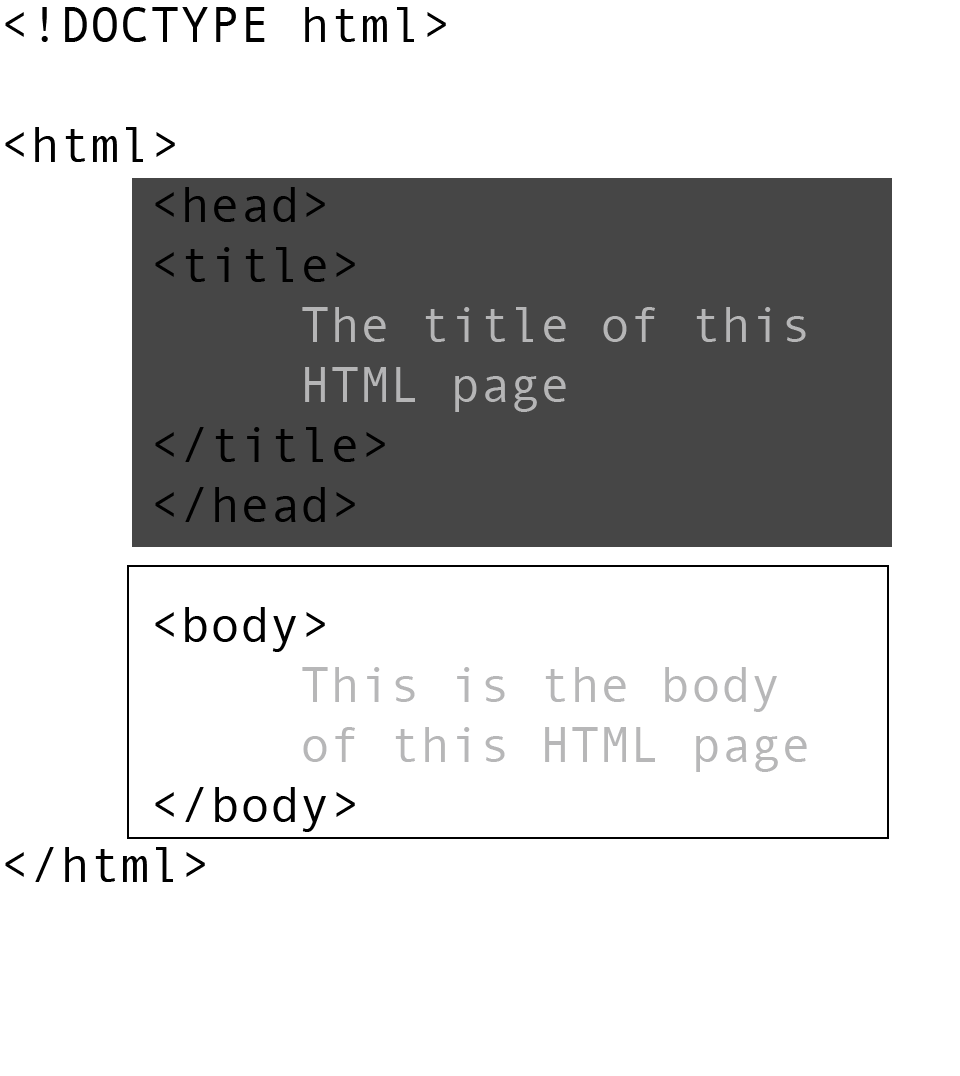
Most elements are written with a start tag and an end tag, with the content in between. Tags are composed of the name of the element, surrounded by angle brackets. An end tag also has a slash after the opening angle bracket, to distinguish it from the start tag.

A paragraph element <p>:


     <p> 
     Call me Ishmael. Some years ago - never mind how long precisely -
       having little or no money in my purse, and nothing particular to
       interest me on shore, I thought I would sail about a little and see
       the watery part of the world. It is a way I have of driving off the
       spleen and regulating the circulation. 
     </p>


HTML tags are generally not case sensitive but I suggest you keep it consistent
White space and indentation are ignored.

Notes

Required elements

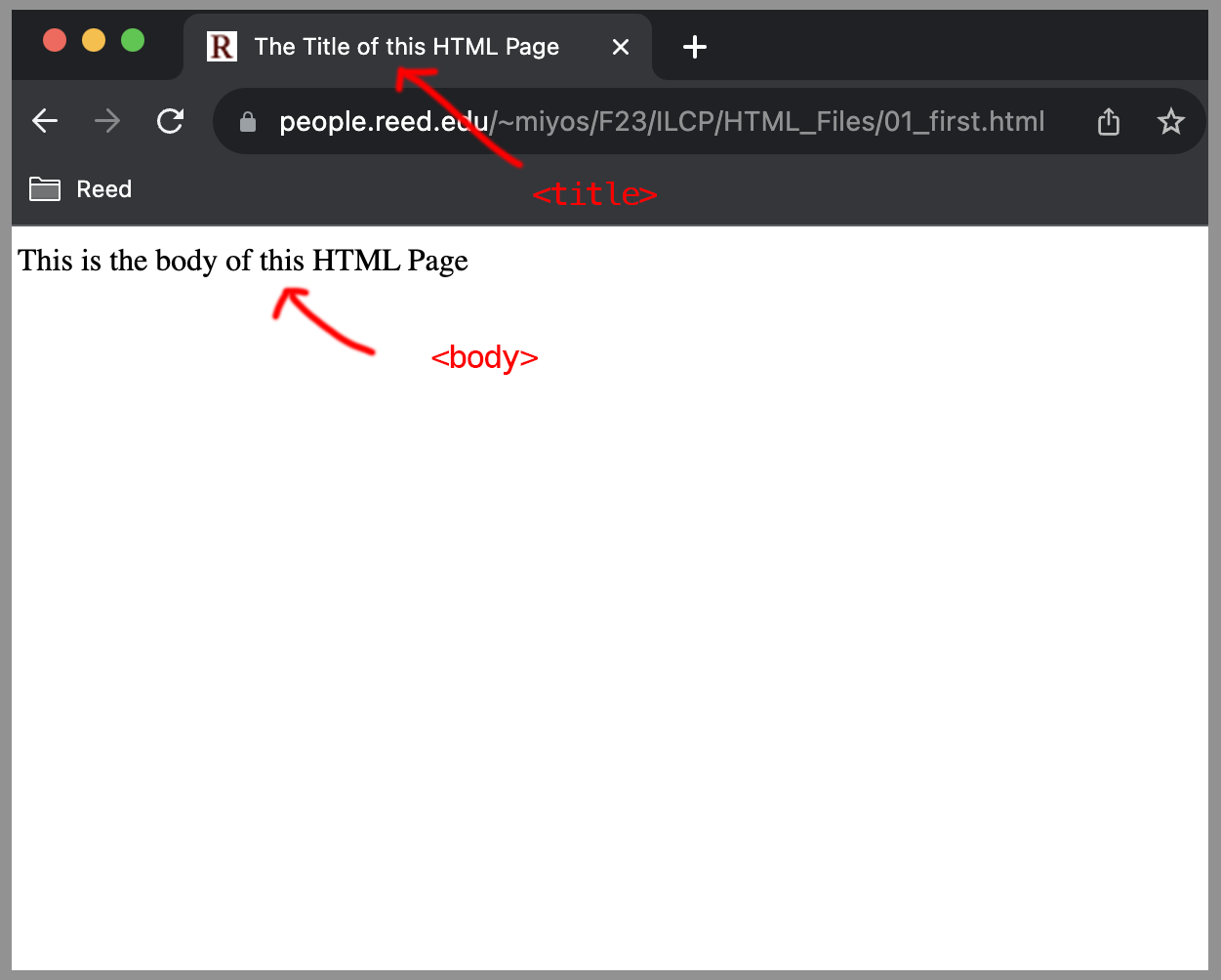
These elements are required in HTML4 and HTML5 specification. They used to be optional, hence most browsers still work without them.


Sample HTML page from last class


Notes
Headings: <h1>, <h2>, <h3>, <h4>, <h5>, <h6>

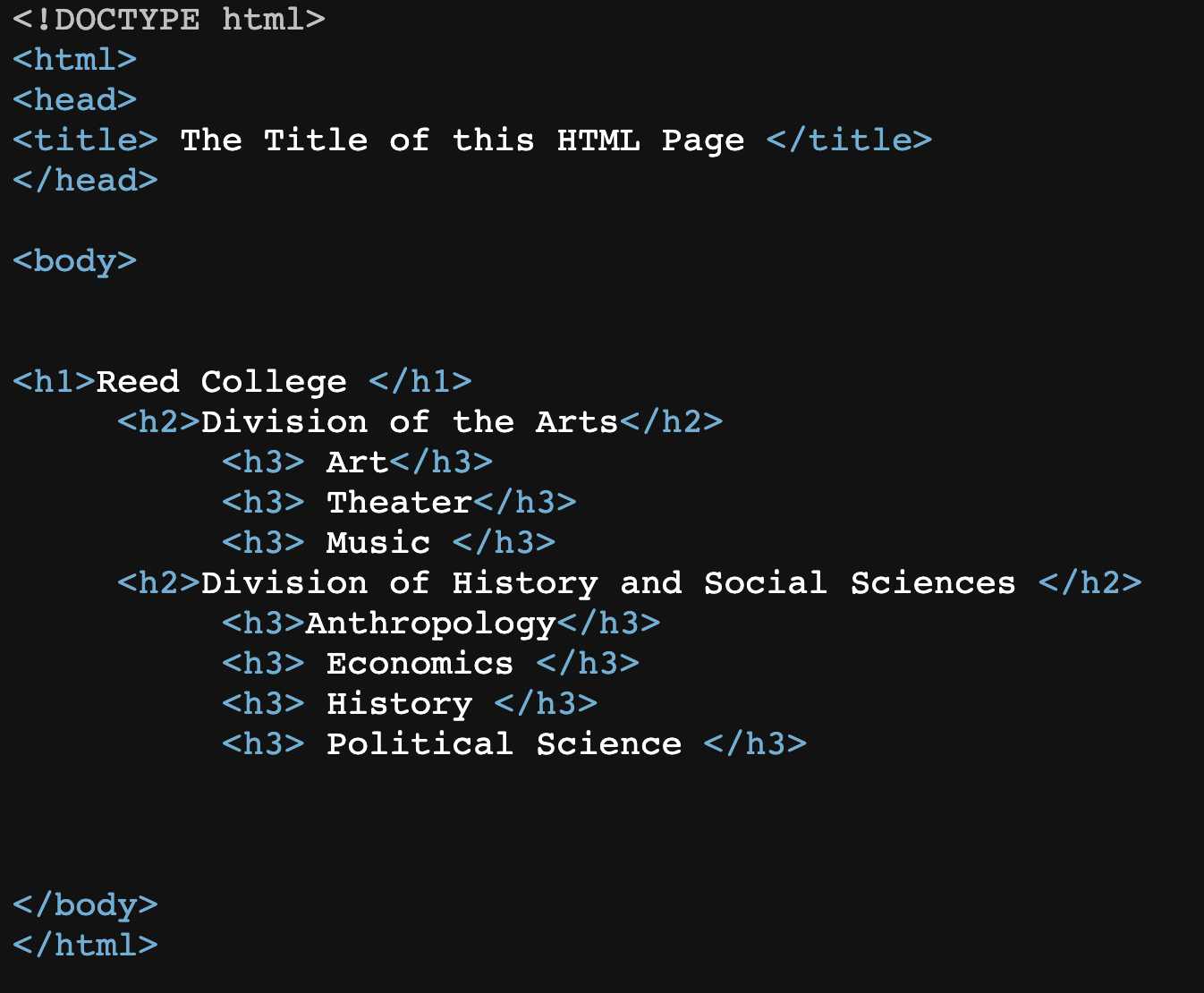
Headings are titles to sections of a page. There are six levels of headings in HTML.

Sample file

     <h1>Reed College </h1>
     <h2>Division of the Arts</h2>
          <h3> Art</h3>
          <h3> Theater</h3>
          <h3> Music </h3>
     <h2>Division of History and Social Sciences </h2>
          <h3>Anthropology</h3>
          <h3> Economics </h3>
          <h3> History </h3>
          <h3> Political Science </h3>
   

Remember, it has to have all the required elements to be read
Notes

Paragraphs <p>

Sample file

     <p> Since its founding in 1908 as an independent undergraduate
     institution, Reed College has remained steadfast to one central
     commitment: to provide a balanced, comprehensive education in
     liberal arts and sciences, fulfilling the highest standards of
     intellectual excellence. Reed offers a liberal arts education of
     high quality under unusually favorable conditions, including a
     challenging curriculum involving wide reading, conference- and
     laboratory-based teaching in small groups, and a student body
     motivated by enthusiasm for serious intellectual work.  </p>

     
     <p> Reed is a coeducational, independent liberal arts and
     sciences college located in Southeast Portland, Oregon. Referred
     to as one of the most intellectual colleges in the country, we
     are known for our high standards of scholarly practice, creative
     thinking, and engaged citizenship.  </p>
   
Notes

Comments <!-- -->


     <!-- this is a comment. -->
     
     <!-- Text within comments is ignored when the page is parsed and is not shown -->


Note that while comments are not rendered by the browser, it is still in the HTML file which can still be viewed through
Chrome: View -> Developer -> View Source

Notes

Lists

Sample file

List item: <li> </li>

Unordered Lists: <ul> </ul>

     <p> People </p>
     <ul>
       <li> Approximately 1,400 students </li>
       <li> 394 1st year students</li>
       <li> 135 faculty members     </li>
     </ul>
   
will be rendered in the browser as:

People


Ordered Lists: <ol> </ol>

     <p> Best Classroom Experience </p>
     <ol>
       <li>Reed College </li>
       <li>Franklin W. Olin College of Engineering </li>
       <li>Carleton College </li>
       <li>Elon University </li>
       <li>Washington and Lee University </li>
       <li>Wellesley College </li>
       <li>Bennington College </li>
       <li>St. Olaf College </li>
     </ol>
   
will be rendered in the browser as:

Best Classroom Experience

  1. Reed College
  2. Franklin W. Olin College of Engineering
  3. Carleton College
  4. Elon University
  5. Washington and Lee University
  6. Wellesley College
  7. Bennington College
  8. St. Olaf College

FYI: You can change the numbering and bullet styles through CSS.
Notes

Nesting (1)

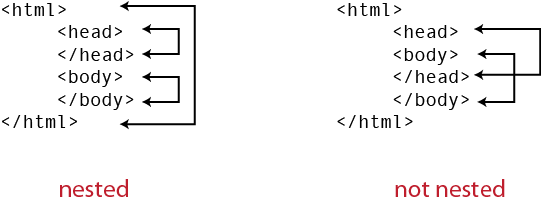
HTML elements are nested. HTML tags close in the reverse order they open: you can open a new tag any time, but the most recently opened tag must be the next one closed.

In the following example on the left, note that <head> and <body> is nested inside the <html> tags. Nesting creates a parent child relationship. If one element encloses another, it is called the parent of the enclosed (child) element.


With this picture, after "html", "head", I can't close "html" because I need to close "head" first.

Nesting (2)

Sample file

     <p> Academics </p>
     <ul>
       <li> Arts 
       <ul>
	 <li> Art </li>
	 <li> Dance </li>
	 <li> Music </li>
	 <li> Theatre </li>
       </ul>
       </li>
       <li> History and social sciences </li>
       <li> Literature and language </li>
       <li> Mathematics and natural sciences </li>
       <li> Philosophy, religion, psychology, and linguistics </li>
       <li> Interdisciplinary </li>
     </ul>
   
Notes

Other tags that add meaning

<em> ... </em> Emphasize
<strong> ... </strong> More strongly emphasized than <em> </em>
<code> ... </code> Code sample
<cite>... </cite> Citation
<blockquote>... </blockquote> Quoting text
<address> ... </address> Address


<address>
     Reed College 3203 SE Woodstock Blvd. Portland OR <br />
     <a href="mailto:info@reed.edu"> info@reed.edu </a>
</address>

Interpreted by browser:
Reed College 3203 SE Woodstock Blvd. Portland OR
info@reed.edu
Notes

HTML Tags

We will cover some more in future classes but for an exhaustive list, see:
Notes